Introducción a CSS
Table of Contents
Entendiendo las hojas de estilo
CSS (acrónimo inglés Cascading Style Sheets) es una tecnología usada en la Web para dar estilo a las páginas web HTML.
Para entender mejor qué significa dar estilo a una página web, analicemos las siguiente imagenes.
Partiendo de este documento o página HTML:
  <!DOCTYPE html>
  <html>
    <head>
      <title>Example</title>
    </head>
    <body>
      <header>
        <h1>Welcome to My Homepage</h1>
        <p>Use the menu to select different Stylesheets</p>
      </header>

      <nav>
        <ul>
          <li>Stylesheet 1</li>
          <li>Stylesheet 2</li>
          <li>Stylesheet 3</li>
          <li>Stylesheet 4</li>
          <li>No Stylesheet</li>
        </ul>
      </nav>

      <main>
        <h1>Same Page Different Stylesheets</h1>
        <p>
          This is a demonstration of how different stylesheets can change the layout of your HTML page. You can change the layout of this page by selecting different stylesheets in the menu, or by selecting one of the following links:<br>

          <a href="#">Stylesheet1</a>, <a href="#">Stylesheet2</a>, <a href="#">Stylesheet3</a>, <a href="#">Stylesheet4</a>.
        </p>

        <h2>No Styles</h2>
        <p>
          This page uses DIV elements to group different sections of the HTML page. Click here to see how the page looks like with no stylesheet:<br><a href="#">No Stylesheet</a>.
        </p>
      </main>

      <aside>
        <h3>Side-Bar</h3>
        <p>
          Lorem ipsum dolor sit amet, consectetuer adipiscing elit, sed diam nonummy nibh euismod tincidunt ut laoreet dolore magna aliquam erat volutpat.
        </p>
      </aside>

      <footer>
          Lorem ipsum dolor sit amet, consectetuer adipiscing elit, sed diam nonummy nibh euismod tincidunt ut laoreet dolore magna aliquam erat volutpat. Ut wisi enim ad minim veniam, quis nostrud exerci tation ullamcorper suscipit lobortis nisl ut aliquip ex ea commodo consequat. Duis autem vel eum iriure dolor in hendrerit in vulputate velit esse molestie consequat, vel illum dolore eu feugiat nulla facilisis at vero eros et accumsan et iusto odio dignissim qui blandit praesent luptatum zzril delenit augue duis dolore te feugait nulla facilisi.
      </footer>
  </body>
</html>
En esta imagen puedes ver como se ve sin estilos:
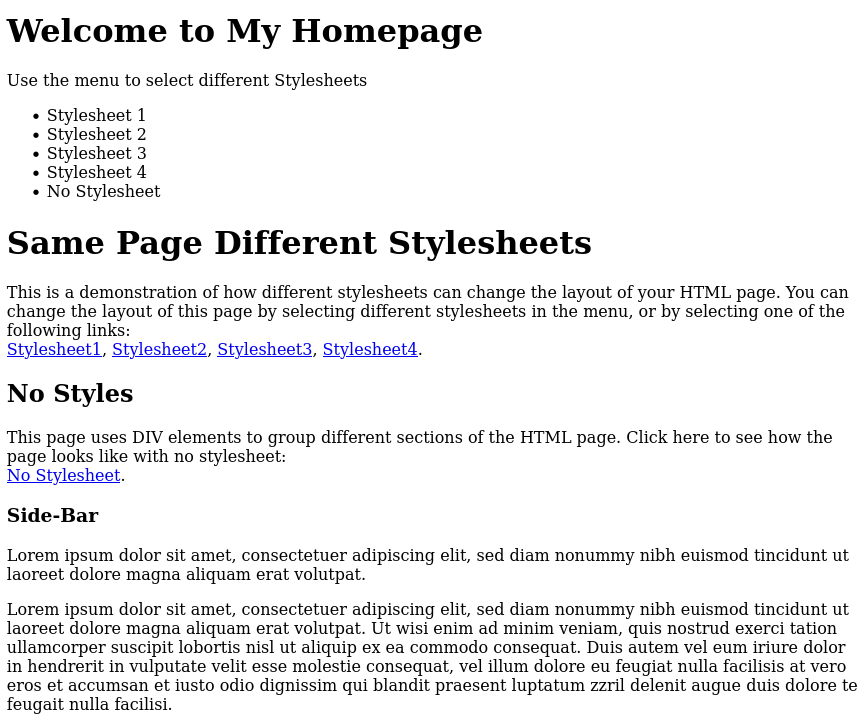
Figure 1: Imagen obtenida de W3 Schools
Esta es la misma página web pero con estilos CSS:
En el código HTML anterior se han insertado instrucciones CSS (entraremos en los detalles más adelante) y el resultado es que:
- Ha cambiado la distribución de los contenidos: el
<header>lo tenemos arriba; el menú principal, el<nav>, lo tenemos a la izquierda; el<aside>lo vemos ocupando el lado derecho; en la parte central tenemos el<main>; y debajo el<footer>. - Se pueden ver aspectos relacionados con el formato: colores, bordes, tipografía, etc.
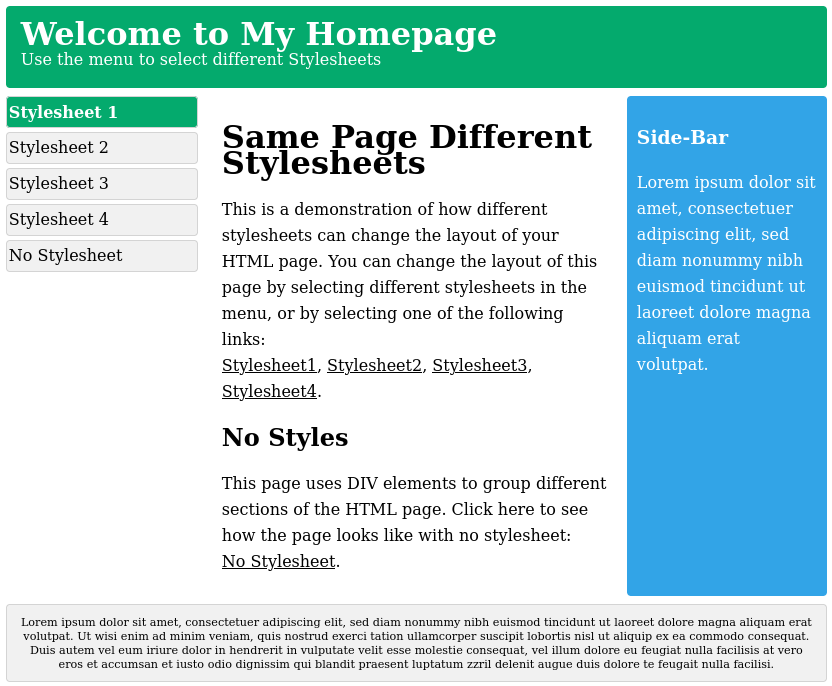
Figure 2: Imagen obtenida de W3 Schools
Esta es la misma página web pero con diferentes estilos CSS:
Como se aprecia, es el mismo contenido, pero la página web cambia drásticamente con la aplicación de diferentes hojas de estilo:
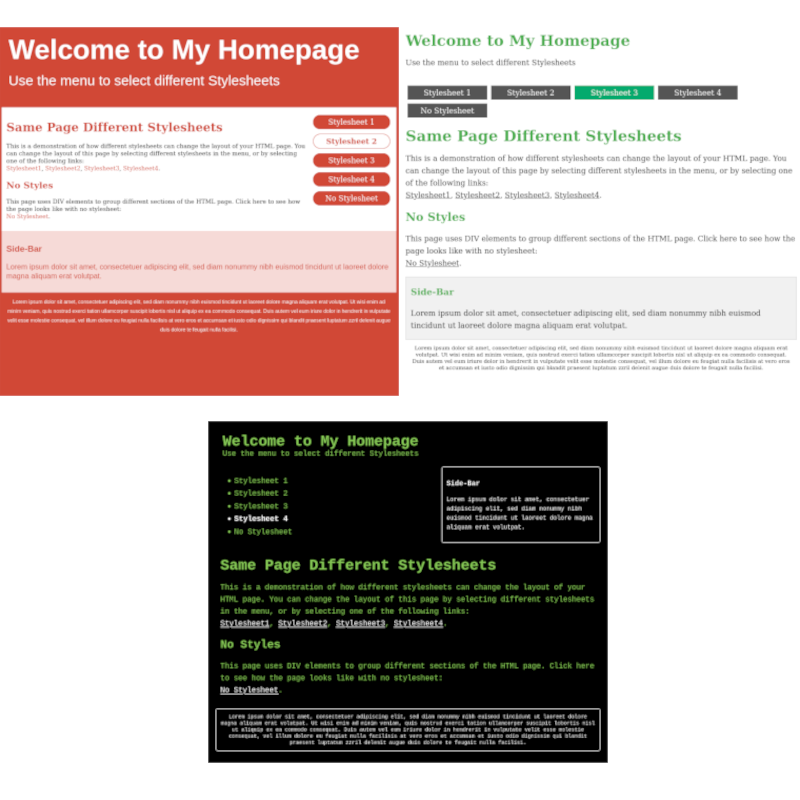
Figure 3: Imágenes obtenidas de W3 Schools